


Manage My Wedding Planner
4.211.00 Reviews
App Specs
- Version
- 7.1.0
- Updated On
- License
- Free
- Downloads
- 10,000+
- Developer
- Yvette Sitters
- Categories
- Events
- Platform
- Android
Screenshots
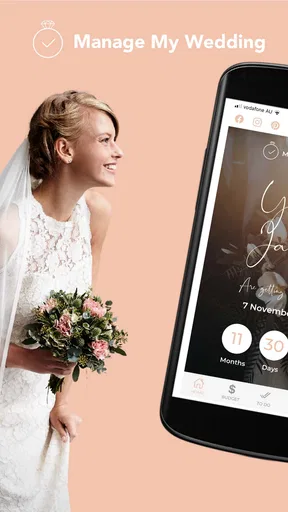
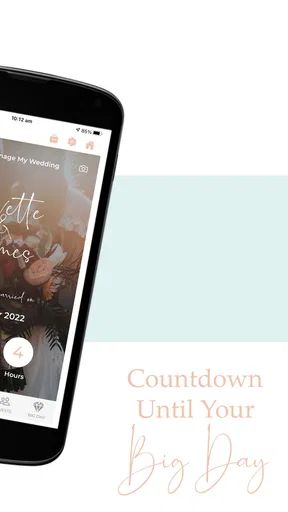
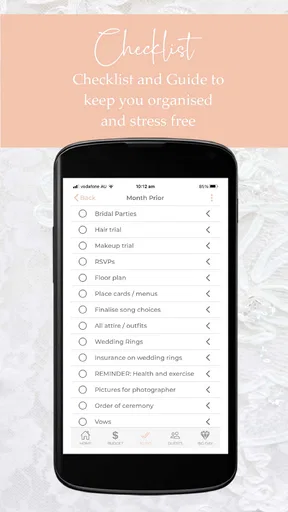
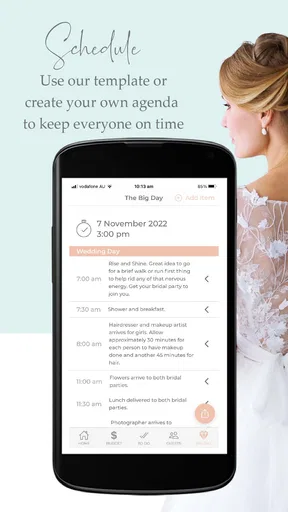
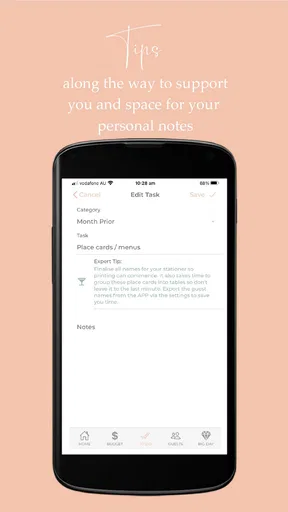
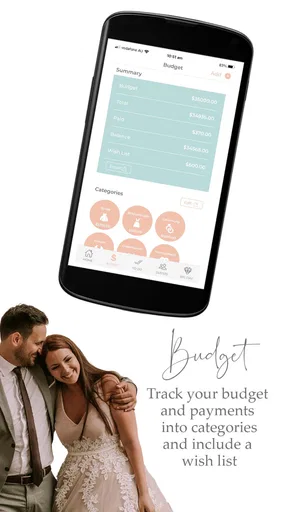
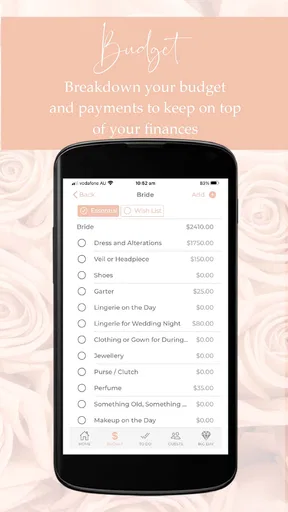
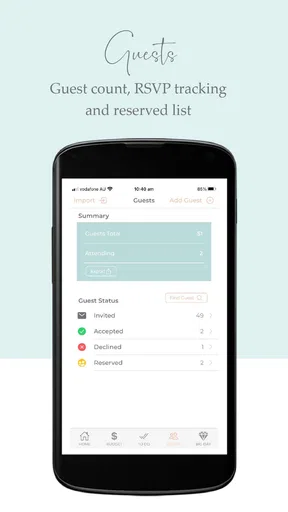
 Analysis by AppCompare
Planning a wedding can turn a happy milestone into a long list of decisions, deadlines, conversations, and receipts. Manage My Wedding Planner approaches that problem as a focused events app from developer Yvette Sitters, with a simple purpose: give you one place to organize the moving parts instead of relying on loose notes, scattered messages, and memory. I found its appeal less in flashy presentation and more in the way a dedicated wedding planner can help reduce mental clutter.
The app is free, rated for Everyone, and available for devices running Android 6.0 or later. It has reached over ten thousand installs and holds a 4.2 average from more than sixty ratings, with eleven written reviews. Those figures suggest a modest but real user base rather than a huge, highly visible planning platform. That matters if you prefer a quieter tool and do not need a large social ecosystem around your wedding planning.
What using the planner feels like in real wedding preparation
My first impression is that this is best understood as a personal planning workspace, not a replacement for a wedding coordinator. The distinction is important. A coordinator can negotiate with suppliers, chase confirmations, and make decisions on the day. An app cannot do those human jobs. What it can do is give you a repeatable place to think through the work before it becomes urgent.
I would use it from the moment the broad shape of the wedding became clear. Instead of keeping venue details in one note, guest thoughts in a messaging thread, and budget reminders on paper, I would open the app whenever a new task appeared. The value is cumulative: one small entry may not change much, but a consistent planning habit can make the entire process feel less improvised.
A realistic example would be a couple arranging a Saturday wedding while working full-time. One person speaks to the venue during lunch, the other compares photographer options after work, and both forget which decisions still need agreement. A dedicated planner gives them a shared mental map, even if they still use email or messaging for the actual conversations. I would review it together once a week, mark what had moved forward, and separate decisions from ideas that were not ready yet.
That last distinction is one of the most useful habits for any wedding app. Not every thought deserves to become a commitment. A color idea, a possible reading, or a supplier recommendation can remain an option until the couple has checked the budget and practical consequences. I recommend using the planner as a filter: record the idea, add the next action, and avoid treating it as final until both people agree.
A calmer way to divide the work
Wedding planning often becomes unfair because one person remembers more of the invisible work. The person who notices that invitations need addressing, transport needs checking, or family members need updates can end up carrying the entire project in their head. A planner is useful when it turns those vague responsibilities into visible actions.
Worth Reading Before You Choose

EA SPORTS FC Mobile 26 Is a Bigger Football Game, but It Takes Time

Flipboard Shows What News Apps Must Do Beyond the Feed

Switching to Android Auto Means Rethinking Your Driving Routine

Google Calendar Makes a Crowded Week Easier to Manage

Ludo King Makes the Most of the Minutes Between Plans

Baby Panda World Brings Quick Play to Modern Phones, but Its Game Library Feels Busy
I would divide tasks by ownership rather than simply writing “sort flowers” or “deal with guests.” A better approach is to identify the next physical step: shortlist suppliers, ask for availability, compare the replies, and record the decision. This makes the app more practical because each item tells you what to do next instead of merely naming a category.
There is also a helpful trade-off here. A detailed system can prevent oversights, but it can become another source of stress if every tiny action is tracked too aggressively. I would avoid entering every conversation or minor purchase. Use the planner for decisions, deadlines, money-related checks, and responsibilities that someone could genuinely forget. Keep casual inspiration elsewhere unless it is likely to affect the final plan.
For couples planning separately, this workflow also exposes a limitation: a planning app is only as effective as the agreement around using it. If one person records everything and the other never checks it, the app becomes a private notebook rather than a shared planning tool. Before depending on it, I would agree on when to review it and who is responsible for keeping each area current.
Trust begins with visible choices
Because wedding planning involves personal details, I pay attention to control before convenience. Guest names, contact information, venue arrangements, supplier conversations, and spending notes can all be sensitive in context. I do not treat a planning app as automatically private simply because it is designed for weddings. I look for clear, visible choices about what I enter, who can see it, and whether I can remove it when the event is over.
With Manage My Wedding Planner, my cautious approach would be to start with the minimum information needed for the task. For a guest-related note, initials or a useful label may be enough while you are still organizing. For supplier research, I would record the company name and follow-up action without copying an entire private email thread. This is not a criticism of the app; it is a sensible way to reduce exposure in any digital organizer.
I also recommend checking the app’s current permission prompts and account controls on your own device before entering sensitive information. Permissions can change between versions and operating systems, and the choices shown to one user may not look identical to those shown to another. If a permission seems unrelated to the feature you are trying to use, pause and decide whether the convenience is worth granting it.
The same caution applies to account access. If the app offers sign-in, backup, sharing, or deletion choices in your version, read them before making the planner your only copy of important information. Keep essential contracts, invoices, and formal confirmations in their original locations as well. A wedding planner app should organize those records, not become the sole place where they exist.
Handling sensitive planning moments
Some wedding information feels harmless until it is combined. A guest list alone may be ordinary; paired with phone numbers, dietary needs, travel plans, and family notes, it becomes much more personal. I would therefore avoid writing unnecessary commentary about guests. Record what is needed to make the event work, and phrase sensitive notes neutrally so they remain useful without becoming unkind or intrusive.
Budget information deserves similar care. Wedding costs can reveal household priorities, financial limits, and negotiations between family members. If several people use the same device or account, I would be careful about leaving detailed figures visible during casual browsing. A broad planning reminder may be enough in a shared setting, while exact amounts can remain in a more controlled financial record.
Supplier details should also be handled thoughtfully. It is sensible to keep contact information and follow-up reminders together, but I would not paste payment credentials, identity documents, or unnecessary personal correspondence into a general planning app. Use the planner to remember what needs attention, then handle sensitive transactions through the appropriate official channel.
After the wedding, review what you no longer need. Old guest notes, contact details, and planning comments should not remain indefinitely just because the event is finished. If the app provides deletion or account-management controls, use them deliberately. If it does not fit your preferred cleanup process, export or copy the information you genuinely want to retain and remove the rest from places you control.
How it compares with familiar alternatives
The usual alternative is a mixture of a notes app, a calendar, a spreadsheet, and messaging. That combination can be surprisingly powerful, especially for people who already have a system they trust. A spreadsheet is often better for detailed financial comparisons, while a calendar is stronger for fixed appointments and deadlines. Messaging remains faster for quick decisions with a partner or family member.
Manage My Wedding Planner makes more sense when you want wedding planning to feel like one defined activity rather than a collection of unrelated tools. The benefit is context. You open a purpose-built planner with the wedding in mind, which can make it easier to return to the work and see what still needs attention. The cost is flexibility: a general spreadsheet can be shaped around unusual requirements, and a calendar can send reminders in ways a specialized app may not match.
I would choose the app over a blank notes page if I wanted structure without building my own template. I would choose a spreadsheet instead if my main concern were complex cost formulas, multiple currencies, or detailed supplier comparisons. I would choose a broader collaboration platform if several relatives, a coordinator, and suppliers all needed different permissions and a formal communication trail.
That comparison also explains who should skip it. If you already have a reliable system that your partner and family use consistently, moving everything into another app may create duplicate work. It is also not the right fit for someone seeking live supplier booking, professional coordination, or a full project-management setup with advanced team administration. Its strength is personal organization, not replacing every wedding service around it.
Practical habits that make the app more useful
My strongest recommendation is to create a single “next action” habit. Whenever you add a planning item, ask what must happen next and who owns it. “Photographer” is too broad; “send availability request” is actionable. “Guest list” is too broad; “confirm the address for the Smith family” is actionable. This simple change prevents the planner from becoming a storage box full of vague intentions.
A second useful habit is to separate confirmed information from possibilities. Keep a clear mental boundary between a supplier you have booked and one you merely like, or between a guest who has replied and one who has not. Mixing these stages can produce expensive mistakes, especially when several options look similar. I would review uncertain items before every major decision rather than assuming that an old note still reflects the current plan.
Third, use a weekly review instead of constantly checking the app. A short, scheduled review is easier to sustain than opening it every time you remember something. During that review, I would remove completed clutter, identify overdue conversations, check upcoming appointments, and choose a small number of priorities. This makes the planner support your life rather than interrupt it.
Finally, keep a separate record of formal commitments. Once a venue, supplier, or service is confirmed, preserve the contract, payment confirmation, and important correspondence in a dependable location. The planner can remind you to check those documents, but I would not assume that an app entry alone proves an agreement. This is especially important when plans change or several people are involved.
Version, availability, and everyday suitability
The current version is 7.1.0, and the app was released on December 6, 2021. Its compatibility with Android 6.0 or later makes it accessible to people using older supported Android devices rather than requiring a recent phone. I still recommend keeping the operating system and app updated where possible, because wedding planning can last long enough for a device, account, or permission setting to change during the process.
There is no cost to download and use the app, which lowers the barrier for couples who want to test a dedicated organizer before committing to a paid planning service. Free access is particularly useful early on, when you are still deciding whether a specialized workflow suits you. I would spend a week entering only current tasks and reviewing them together before migrating a large amount of information.
The Everyone age rating also makes the app broadly approachable from an age-classification perspective. That does not mean every planning note is appropriate to share with every person, however. Age suitability and privacy are different questions. I would still decide carefully whether children, relatives, or helpers should see the same information, and I would avoid assuming that a general rating tells you anything about sharing controls.
My cautious verdict for couples deciding today
After looking at Manage My Wedding Planner as a practical organizer rather than a promise to eliminate wedding stress, I see a useful role for it. It can help a couple gather decisions, divide responsibilities, and return to unfinished work without rebuilding the plan from memory each time. The free price and accessible Android requirements make experimenting with it straightforward.
My recommendation comes with boundaries. Start with low-risk planning information, inspect the permissions and account choices shown on your device, and keep contracts and sensitive records in places you already trust. Do not enter more personal information than the task requires, and do not assume that a dedicated wedding label automatically makes every entry private or shareable in the way you want.
I would recommend it to an engaged couple who feels overwhelmed by scattered notes and wants a wedding-specific starting point. I would be more hesitant for a large planning group that needs sophisticated roles, detailed financial modeling, or professional supplier coordination. In those cases, a general collaboration tool or spreadsheet may offer better control.
Overall, I like the app most when it is used as a calm checklist for decisions and follow-ups, not as the single source of truth for every document and conversation. The best result comes from combining its focused planning space with careful data habits and a separate home for important records. Used that way, it can make the work feel more manageable without pretending that an app can solve the human parts of organizing a wedding.
Pros
- Keeps guest details
- tasks
- and appointments organized in one place.
- Helpful checklists make it easier to track planning progress.
- Customizable categories let couples adapt the planner to their needs.
- Can reduce forgotten deadlines with reminders and scheduling tools.
- Useful for coordinating responsibilities between partners and family.
Cons
- Some features may require manual updates to stay accurate.
- The interface can feel overwhelming for couples planning a small wedding.
- Limited collaboration options may make teamwork less convenient.
- Customization may not cover every cultural or ceremony requirement.
- Frequent notifications could become distracting during busy planning periods.
FAQs for Manage My Wedding Planner
What is Manage My Wedding Planner, and who is it designed for?
Manage My Wedding Planner is a digital organization tool for couples planning a wedding, as well as anyone helping with the event. It is designed to bring important details into one place, including tasks, schedules, budgets, guest information, supplier notes, and planning reminders. It can be useful for both small, informal ceremonies and larger weddings with many arrangements to coordinate.
What planning features are available in Manage My Wedding Planner?
The app is intended to help users structure the main parts of wedding preparation rather than relying on scattered notes or paper lists. Depending on the version and platform, you may find tools for creating to-do lists, monitoring expenses, organizing guest details, recording vendor information, and keeping track of important dates. These features can make it easier to see what has been completed and what still requires attention.
Can Manage My Wedding Planner help me control my wedding budget?
Yes, budget organization is one of the main reasons couples may choose a wedding planning app. Manage My Wedding Planner can be used to record expected costs, compare spending across categories, and keep financial details together while arrangements change. It should be treated as a planning aid rather than a replacement for official invoices, contracts, or payment records, so users should still verify amounts directly with each supplier.
Can I use the app to manage guests and wedding-related information?
Manage My Wedding Planner is intended to help keep guest and event information more organized, which may be helpful when managing invitations, attendance details, seating considerations, or other notes. The exact tools can vary by device and app version, so it is worth checking the current feature description before downloading. Avoid entering highly sensitive personal or financial information unless you are comfortable with the app’s privacy practices.
Is Manage My Wedding Planner free to download, and does it require an internet connection?
Availability, pricing, advertising, and optional in-app purchases may differ between Android and iOS and can change with future updates. Check the store listing for the latest details before installing. Some planning functions may work without a constant connection, while syncing, backups, updates, or shared features could require internet access. Reviewing permissions and the privacy policy is also recommended before creating an account or adding wedding data.


